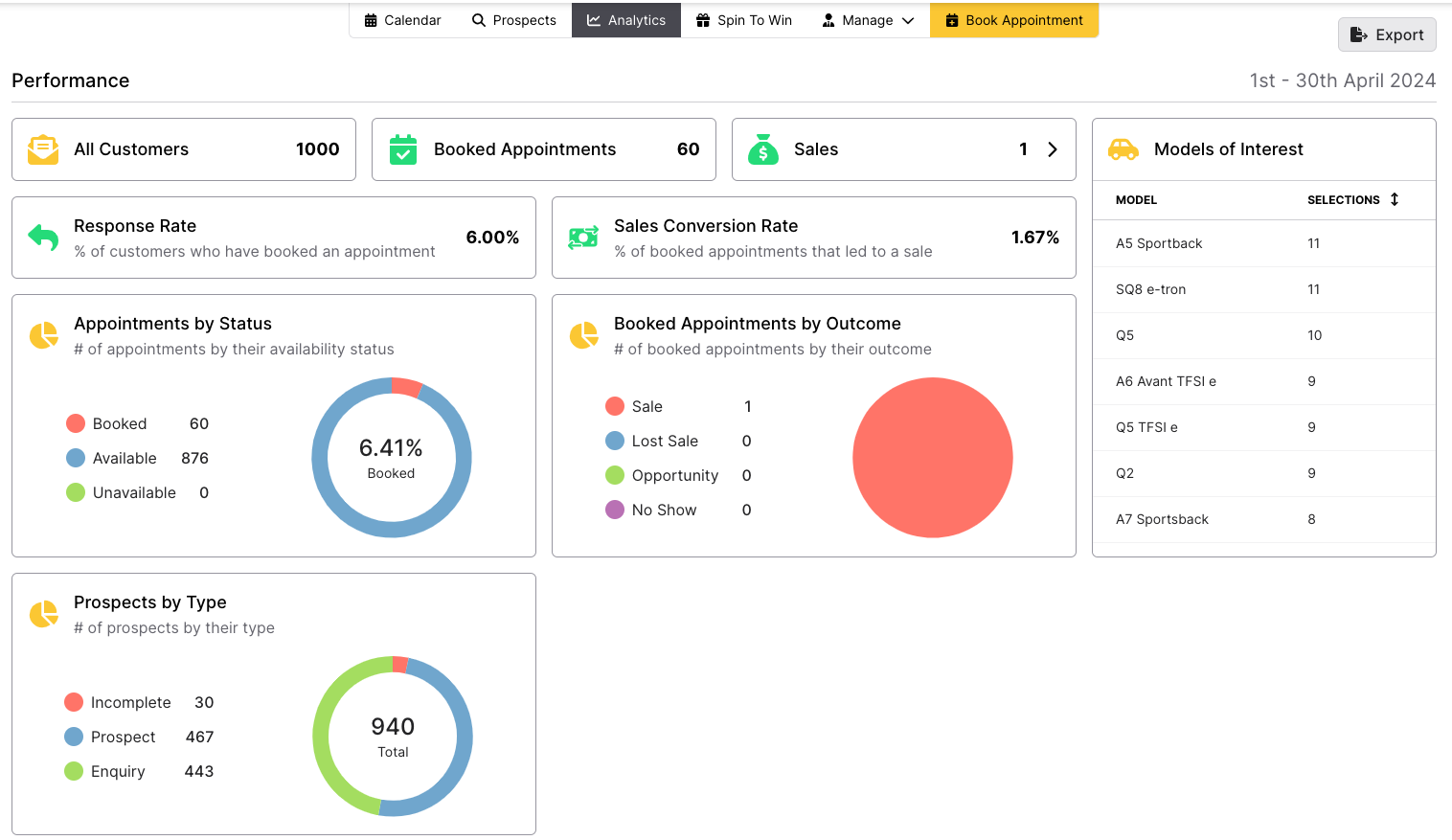
Here you will see a detailed view of various statistics from the event. At the top you will see specific metrics for Invited Guests, Booked Appointments, Sales Made, Response Rate and your Sales Conversation Rate. You can also see the number of times each vehicle model was selected by guests, and pie charts showing appointments by status, booked appointments by origin and Prospects by Type.
Click the Export button in the top right to export this data as a PDF.

Scroll down to see areas which may request actions.
- Incomplete Bookings takes you to your Manage Prospecting screen. Here you can allocate these bookings to your Sales Executives.
- Outcome Required shows the number of bookings which need an outcome (Sale, No Sale, Pending or No Show). Clicking on this takes you to the calendar and filters it for only appointments which need an outcome.
- Unallocated Prospects shows you all prospects that need allocating to a team member. Clicking on this takes you to your Manage Prospects page.
- Uncontacted Prospects shows you all prospects that you and/or your team have not called yet. Clicking on this takes your to your Prospects page showing you all your personal allocated prospects.
Incomplete Bookings only go down when they have a firm outcome attached. Soft outcomes, such as no answer or follow up, do not bring this down.

Scrolling down further shows your Sales People, allowing you to clearly see and compare your workforce. Scroll to the right to see further information including Sales and how many of their appointments require an outcome.
Was this article helpful?
That’s Great!
Thank you for your feedback
Sorry! We couldn't be helpful
Thank you for your feedback
Feedback sent
We appreciate your effort and will try to fix the article